

ZetaRank TrackNotify for WooCommerce
Add shipment tracking and send customer tracking updates from WooCommerce orders.
See ZetaRank TrackNotify for WooCommerce.
Official product artwork published by the plugin author on WordPress.org.
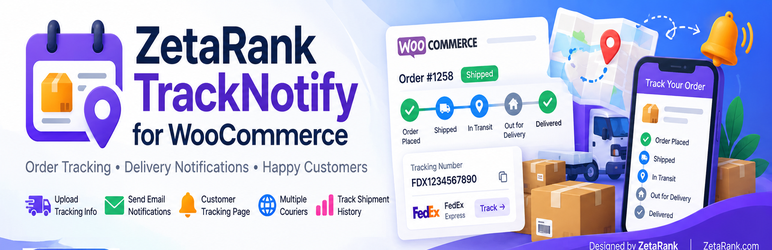
Images are loaded from the WordPress.org media CDN; availability may change as the plugin is updated.
Everything you need to know about ZetaRank TrackNotify for WooCommerce.
ZetaRank TrackNotify for WooCommerce helps shops manage shipment tracking directly in WooCommerce, without automatically marking an order as Completed. Store a carrier, tracking number or valid public HTTPS tracking URL, optional service and shipment date, and multiple packages on a single order. Merchants can save tracking details, send or resend a dedicated shipment email and provide customer-facing tracking details in order pages and a private Track Order page.
Multiple packages
Add several shipment packages to a single WooCommerce order.
Courier tracking links
Store courier details and a tracking number or a valid HTTPS tracking URL.
Customer shipment emails
Send an HTML or plain-text shipment notification and resend when needed.
Track Order page
Provide customer-facing shipment details with private expiring tracking links.
Preserve order status
Add tracking information without automatically setting the order to Completed.
Key features at a glance
Add several shipment packages to a single WooCommerce order.
Store courier details and a tracking number or a valid HTTPS tracking URL.
Send an HTML or plain-text shipment notification and resend when needed.
Provide customer-facing shipment details with private expiring tracking links.
Add tracking information without automatically setting the order to Completed.
ZetaRank TrackNotify for WooCommerce FAQs
What does ZetaRank TrackNotify for WooCommerce do?
Add shipment tracking and send customer tracking updates from WooCommerce orders. ZetaRank TrackNotify for WooCommerce helps shops manage shipment tracking directly in WooCommerce, without automatically marking an order as Completed. Store a carrier, tracking number or valid public HTTPS tracking URL, optional service and shipment date, and multiple packages on a single order. Merchants can save tracking details, send or resend a dedicated shipment email and provide customer-facing tracking details in order pages and a private Track Order page.
Where can I install this plugin?
Install it directly from the official WordPress.org plugin directory or through your WordPress site's Plugins screen.
Does this plugin require WooCommerce?
Yes. This plugin is intended for WooCommerce sites, so WooCommerce needs to be active.
Is there a free version?
Yes. The WordPress.org plugin listing provides the free edition. Check the listing for supported features and version information.
Explore ZetaRank TrackNotify for WooCommerce.
Find official downloads, changelogs, installation instructions and support details.